Hey guys, welcome back to MBAKen! First, I want to say a huge thank you for the incredible response to my last blog post. Being an honest review from a student’s perspective, it really resonated with many of you. Since then, I’ve received countless messages, especially over WhatsApp, from students who have already enrolled but are struggling to use the LMS (Learning Management System) Portal. I’ve also heard from many people who are planning to enroll but are hesitant because they can’t “see” what the next two years of their academic roadmap will actually look like.
uttaranchal online degree portal
Counselors tell you the process, but they can’t show you the experience. You want to know how classes happen, how exams are conducted, where live lectures are, where recorded videos live, and how assignments are made. This post is for both of you: the current students facing challenges and the future students who want to clear all confusion before committing.
I’m going to break down your entire journey as a student at Uttaranchal University into a very simple, step-by-step guide. By the end of this, any dilemmas about balancing work, life, and study will be resolved. In fact, just the other day, a student (also named Ankit!) came to me worried he couldn’t continue his MBA alongside his other commitments. I sent him a preview of this post, and he was able to make an informed decision to stay enrolled.
If you have any specific doubts, personal confusions, or are stuck in a dilemma, send me a message by using our contact us page. . Feel free to contact me. Just leave a message, and I will try my best to get back to you. Now, let’s start the journey and dive into the portal.
uttaranchal online degree portal-2
Part 1: The Initial Step – Your Student Portal Credentials
Once your admission is confirmed and fee payment is complete, you will receive your Student Portal Kredentials. This includes your Learner ID (which serves as your roll number) and your Password. This is your access key to the entire academic environment.
Part 2: Welcome to Your Academic Hub – The Student Portal
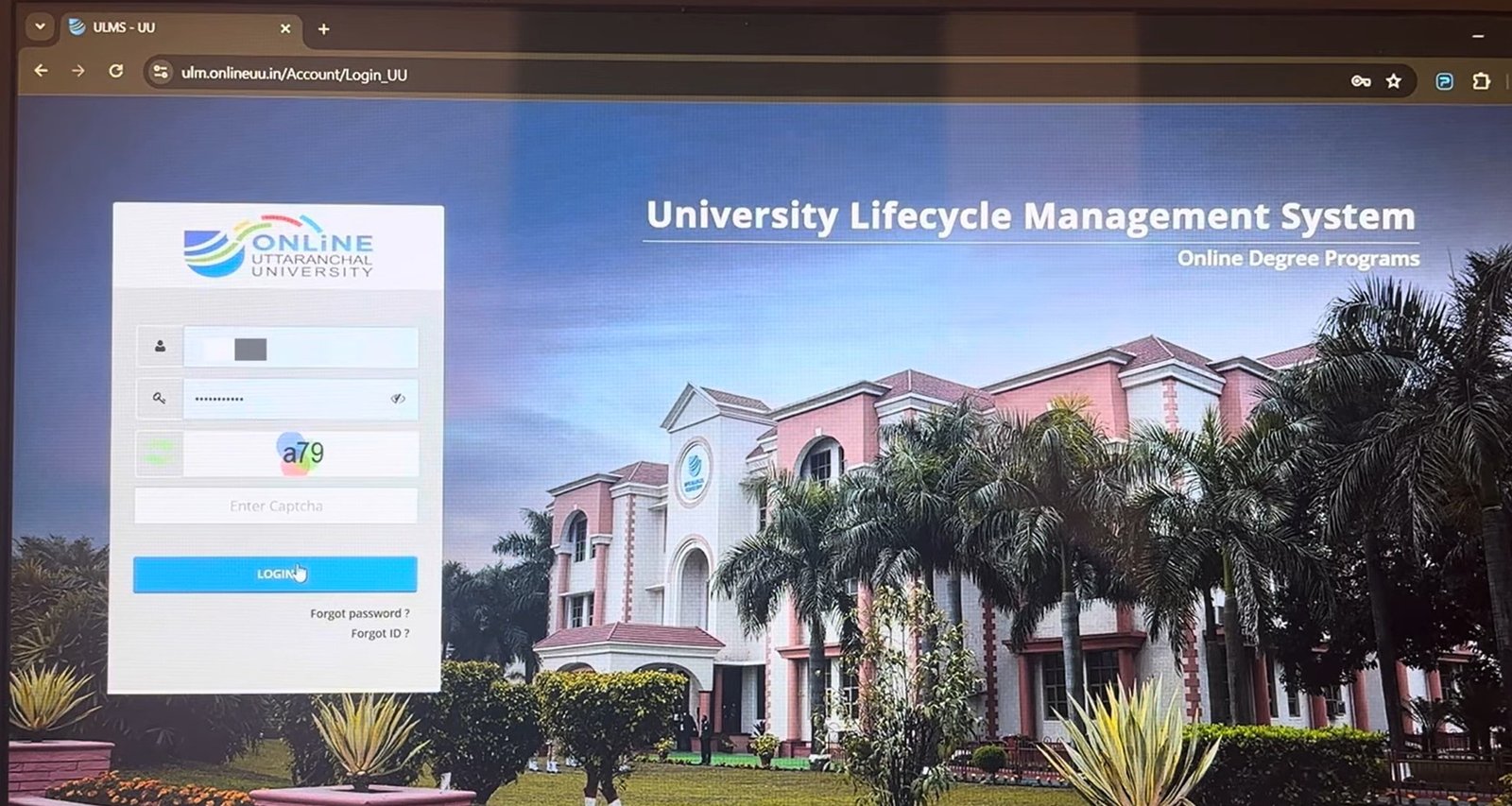
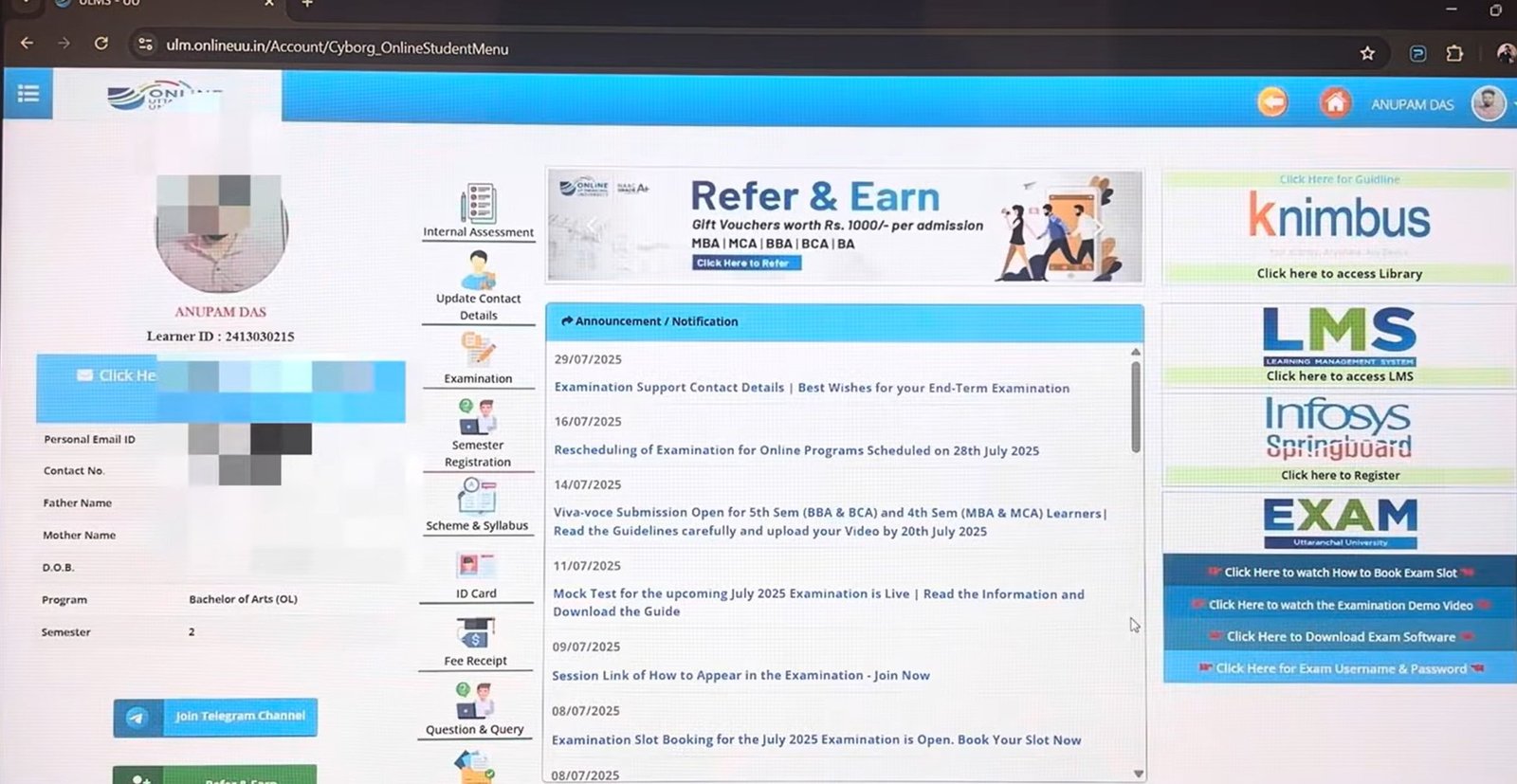
When you log in using your Learner ID, Password, and Captcha, you are greeted not by the LMS immediately, but by your Student Portal. Think of this as your central control panel or your home base, similar to an Instagram or YouTube account but dedicated entirely to your relationship with Uttaranchal University. This portal is essential for administrative tasks, communication, and accessing vital student services. We can categorize this portal into three main sections:
Section 1: Administrative and Personal Management
Located on the left-hand side, this section manages your personal details and crucial deadlines.
Profile Overview: Here, you’ll see your photo, Learner ID (roll number), and all registered personal details like email, phone number, and father’s name. It also displays your current program (e.g., BA) and semester.
Communication Channels: You’ll find a link to the official Telegram channel for updates, but I recommend prioritizing the Announcements section in Part 3 for the most reliable information.
Internal Assessments (Assignments): This is where you create and manage your assignments. Opening this option reveals all your subjects for the current semester. Assignments typically consist of 30 multiple-choice questions (MCQs) with a specific duration (e.g., 50 minutes) and a clear deadline. You can use external resources like books or the internet for these. Once submitted, the status updates automatically.
Examination Management: This is the heart of your exam logistics.
Results: View your semester-wise grades and CGPA. The portal allows you to view details and download your official results, complete with a verification QR code.
Back Papers: If you have a backlog, this is where you apply for it. You can select the course, enter the subject code, and proceed with payment.
Admit Card & Slot Booking: Before exams, you’ll download your admit cards here. You are responsible for slot booking—selecting your preferred time (Morning, Afternoon, or Evening) for each exam from the available options. Make sure to do this well in advance.
Instructions: Always read the exam instructions provided here before proceeding.
Semester Registration: For students paying semester-wise, you will perform your registration and pay the next semester’s fees here. If you paid one-time or are on an EMI plan, you just need to fill in your details to progress to the next semester.
Academic Resources: Find your program’s complete Syllabus, download your ID Card, and access all your Fee Receipts.
Queries & Document Status: Post any questions you have for your counselor or Relationship Manager (RM) here, and verify the status of submitted documents like your Aadhar or PAN card.
Section 2: News, Library, and Support Services
This section keeps you connected, informed, and supported.
Announcements & Notifications: It is crucial for every student—regardless of whether they have RM support or enrolled through a third party—to check this section at least once a week. It contains all essential updates, from exam rescheduling and Viva submission deadlines to technical support contact details for exam days. Don’t rely solely on counselors; take responsibility for staying informed.
K-Nimbus Library (E-Books): This is your digital, multi-domain library. It houses an astonishing collection of over 1.5 lakh e-books and 4500+ case studies, sourced from reputable international organizations, including data used by universities like Harvard and Stanford.
Placement Portal (Infosys Springboard): Once you become eligible for placement, this is where you will register. It functions as an alumni portal and keeps you updated on all campus placement opportunities. A detailed video on this will be coming soon.
Exam Support (Uttranchal University Exam): This crucial subsection provides resources specifically for the exam process:
How-To Videos: Watch a video on “How to Book the Exam Slot.“
Demo Videos: View a demo of how the actual examination is conducted, including all rules.
Examination Software: Download the mandatory software required to take your exams, with separate links for Windows, Mac, Android (for tablets), and iOS (for iPads). This software ensures a secure, proctored environment with your camera on for the duration of the exam.
Part 3: Learning in Action – The Learning Management System (LMS)
Now, let’s explore the portal where your actual education takes place. Clicking on LMS from the Student Portal opens a separate, focused interface called the Learning Management System. This is your digital classroom.
Your Digital Classroom Environment
Like the Student Portal, the LMS provides crucial announcements specifically for your courses. Check the Communications tab daily. It displays all upcoming live lectures, complete with topics, timings, and course codes (e.g., English, Topic: Communicative English, Code: OBA-125).
Accessing Your Course Content
I’ll walk you through one subject—Business Statistics—to show you the structure, which is consistent across all your courses.
Overview and Resources: Open the subject to see the entire content, including syllabus, announcements, chapter outlines, reference materials, and the discussion forum where you can ask questions. You also have access to educational games to support your learning.
Course Material (E-Books): Uttaranchal University has made excellent use of e-books, providing high-quality digital notes directly on the portal. You don’t necessarily need to create your own notes from scratch, though you can summarize them for better retention.
Recorded Lectures: For each unit, you have 24/7 access to pre-recorded video lectures. These are perfect for self-paced learning, allowing you to study whenever you are free.
Practice Quizzes: After studying, use the practice quizzes to test your understanding and channelize your knowledge. These are great for self-assessment.
Live Lectures & Calendar: This is where you find the schedule for your real-time classes.
LMS Calendar: Open the calendar to find the live lecture links for each month.
Recorded Live Sessions: If you miss a live lecture due to lack of time (remember, attendance is not mandatory and has no impact on attendance scenarios), don’t panic! You can access the complete recording of that live session under the Live Session option. It will show every session, from April 11th to June 13th, showing your faculty sharing their screen and teaching. You have the flexibility to watch either the recorded videos or the recorded live lectures, whichever you prefer.
Conclusion: Your Journey is Supported
This complete walkthrough of the Uttaranchal University LMS and Student Portals covers majorly every doubt our audience or candidates might have. I’ve detailed every single experience very carefully, but if you still have any confusion, send me a message by using our contact us page. Please feel free to connect with me. I will try my level best to help clear any misguidance from other counselors and provide a solution to your problem.
Stay connected! In the coming time, I will be creating more focused blog post, partitioning the journey into separate guides for examinations, assignments, and everything else you need to know. We will be covering other universities as well. Like this post, subscribe, share, and keep giving your love to Mbaken. Thank you so much, guys! Have a wonderful day. Bye-bye!
Have any thoughts?
Share your reaction or leave a quick response — we’d love to hear what you think!
-
 0
0 -
0
-
0
-
0
-
0
-
0



1 comment
[…] Also check out: The Ultimate Uttaranchal University Online MBA LMS Portal Guide: Admission to Examination […]